
Maintaining your printer ribbons is essential to ensure the longevity and optimal performance of your printing equipment. At Stingbull Ribbon, where we offer a wide range of printer ribbons from top brands, we understand the importance of keeping your ribbons in top shape. In this article, we will explore valuable tips and advice to help you maintain your printer ribbons effectively. Let’s dive in!
Why Printer Ribbon Maintenance Matters
Certainly, let’s expand on why printer ribbon maintenance matters and the benefits it offers:
Printer ribbons are often the unsung heroes of the printing world. They might seem like small, unassuming components, but they play a pivotal role in the printing process. Neglecting their maintenance can lead to a
efficiency. Here’s a closer look at why proper printer ribbon maintenance is essential:
1. High-Quality Prints
Well-maintained printer ribbons are the key to achieving high-quality prints. When you take care of your ribbons, they consistently deliver sharp, clear, and vibrant images. You’ll notice the difference in the crispness of text, the vividness of colors, and the overall professional appearance of your documents. This is particularly important if you’re in an industry where print quality is paramount, such as graphic design, photography, or any business that relies on marketing materials.
2. Cost Efficiency
Printer ribbons can be a significant ongoing expense, especially for businesses that rely heavily on printing. However, with proper maintenance, you can extend the life of your ribbons, saving you money in the long run. Regular cleaning and care help prevent premature wear and tear, allowing you to get more mileage out of each ribbon cartridge. This translates to cost savings that can be redirected to other business needs or investments.
3. Minimized Downtime
Printer issues can disrupt your workflow and lead to frustrating downtime. When a ribbon-related problem occurs, such as smudging or ribbon breakage, it not only halts the printing process but also demands immediate attention and troubleshooting. With regular maintenance, you can significantly reduce the likelihood of such issues cropping up. This means less time spent on fixing problems and more time dedicated to productive tasks. For businesses, this translates to increased efficiency and a smoother operation.
In essence, proper printer ribbon maintenance is a simple yet highly effective way to ensure that your printing process remains seamless and that the end results consistently meet your quality standards. It’s an investment in both the longevity of your printing equipment and the overall efficiency of your daily operations. So, make maintenance a routine practice, and you’ll reap the rewards of high-quality prints, cost savings, and minimized downtime.
Signs of Printer Ribbon Wear and Tear
Certainly, let’s delve deeper into the signs of printer ribbon wear and tear:
Your printer ribbon is a vital component, and like any other part of your printer, it’s susceptible to wear and tear over time. Identifying these signs is the first crucial step in effective maintenance. Here are the key indicators to look out for:
1. Faded Prints:
Faded prints are a common and visible sign that your printer ribbon may be approaching the end of its lifespan or needs immediate attention. Instead of the sharp, dark text and vibrant graphics you’re accustomed to, you’ll notice that your prints are becoming lighter, less legible, and lacking the clarity they once had. This deterioration in print quality can be frustrating, especially when you’re dealing with important documents or images. It’s often caused by the ribbon’s ink supply diminishing, resulting in a lighter impression on the paper.
2. Inconsistent Print Quality:
Variations in print quality can be particularly vexing. You might find that some parts of your document are clear and well-defined, while others appear faded or smudged. This inconsistency is a clear signal that there are issues with your printer ribbon. It can result from uneven ribbon tension, an improperly aligned ribbon, or even a dirty print head. If not addressed, inconsistent print quality can lead to a lack of professionalism in your documents and, in some cases, wasted paper and ribbon.
3. Ribbon Wrinkles or Tears:
Examine your printer ribbon closely for any visible damage or irregularities. Wrinkles or tears in the ribbon material can significantly impact print quality. Wrinkles can cause the ribbon to snag or become misaligned during the printing process, leading to streaks or gaps on your printed documents. Tears are even more problematic, as they can render portions of the ribbon unusable, resulting in costly waste. Identifying and addressing ribbon wrinkles and tears promptly is essential to maintain efficient printing operations.
These signs of wear and tear are not to be underestimated. They serve as early warning signals that your printer ribbon is in need of attention. Recognizing these signs allows you to take action before print quality deteriorates further or potentially leads to printer issues. As a responsible printer user, it’s essential to keep a vigilant eye out for these indicators and address them through appropriate maintenance or ribbon replacement when necessary.
Cleaning and Handling Printer Ribbons
Proper cleaning and handling are crucial for maintaining your printer ribbons. Here’s a step-by-step guide:
Properly cleaning and handling your printer ribbons is a critical aspect of maintenance that can significantly extend their lifespan and maintain the quality of your prints. Here’s a step-by-step guide to ensure your printer ribbons remain in optimal condition:
1. Turn Off the Printer:
Before you begin any maintenance, it’s essential to turn off your printer. This not only ensures your safety but also prevents any unexpected printing during the cleaning process. Make sure the printer is completely powered down before proceeding.
2. Remove the Ribbon:
Gently remove the ribbon cartridge from the printer. This step may vary depending on your printer model, so consult your printer’s user manual for specific instructions. In most cases, it involves unlocking the cartridge and sliding it out carefully.
3. Inspect for Debris:
Examine the ribbon closely for any loose particles, dust, or debris that may have accumulated on its surface. These particles can impede the printing process and affect the quality of your prints. If you notice any debris, it’s essential to remove them.
4. Cleaning the Ribbon:
For light cleaning, an alcohol-based cleaning solution and a lint-free cloth are your best allies. Dampen the cloth with the cleaning solution and gently wipe the ribbon’s surface. Ensure that the cloth is not dripping with liquid; a light dampness is all that’s needed. Remember always to follow the manufacturer’s recommendations for cleaning products and methods, as some ribbons may have specific requirements.
5. Proper Handling:
When handling the ribbon, it’s crucial to do so with clean, dry hands. The oils and dirt from your skin can transfer to the ribbon, potentially causing print quality issues. You may want to consider using gloves to keep the ribbon’s surface pristine during the process.
Additionally, keep in mind that ribbon material can be delicate, and excessive pressure during handling can cause damage. Treat it with care to prevent any tears or creases.
6. Consult the User Manual:
Different printer models may have unique cleaning and maintenance requirements. Always refer to your printer’s user manual for specific guidelines and best practices to ensure that you’re following the manufacturer’s recommendations.
By following this comprehensive guide, you can maintain your printer ribbons with confidence, ensuring they continue to produce high-quality prints while extending their lifespan. Proper cleaning and handling not only save you money but also help maintain efficient printing operations in the long run.
Storage and Environmental Considerations
Storing your printer ribbons properly is crucial to preserving their quality and extending their lifespan. Here are some detailed tips on optimizing the storage conditions:
1. Ideal Storage Environment:
Storing your printer ribbons in an appropriate environment is paramount. Aim for a cool, dry place with a stable temperature and humidity level. Fluctuations in temperature and humidity can lead to ribbon degradation. Excess humidity can cause the ribbon material to become soft and less durable, while extreme heat can result in the ink becoming too fluid, leading to smudging and poor print quality. By keeping your ribbons in a controlled environment, you ensure they remain in optimal condition.
2. Shield from Direct Sunlight:
Direct sunlight is a formidable adversary to your printer ribbons. Prolonged exposure can lead to ribbon fading, which not only affects the vibrancy of your prints but can also reduce the ribbon’s overall lifespan. To protect your ribbons, store them in a location where they won’t be exposed to direct sunlight. If your storage area has windows, consider using curtains or blinds to block out UV rays.
3. Utilize Protective Cases:
Whenever possible, keep your printer ribbons in their original protective cases. These cases are designed to shield the ribbons from dust and contaminants that can accumulate over time. Dust can settle on the ribbon’s surface, leading to print imperfections and potentially damaging the ribbon material itself. Protective cases also prevent accidental damage that may occur when the ribbons are left exposed and vulnerable.
In addition to these tips, it’s worth mentioning that some printer ribbons come with desiccant packets. These packets help absorb any moisture that might be present in the storage environment, further safeguarding the ribbons against humidity-related damage.
Proper storage practices are often underestimated, but they play a vital role in ensuring your printer ribbons remain in peak condition. By following these guidelines and maintaining a suitable storage environment, you’ll be able to rely on your ribbons for consistently high-quality prints, ultimately saving both time and money.

Extending the Life of Your Printer Ribbons
To maximize the life of your printer ribbons, consider the following:
- Quality Ribbons: Invest in high-quality ribbons, like the ones available at Stingbull Ribbon, which are known for their durability and performance.
- Regular Maintenance: Implement a routine maintenance schedule to catch and address issues early.
- Printer Settings: Adjust your printer settings to reduce the amount of ribbon used without compromising print quality.
Troubleshooting Common Ribbon Issues
Even with regular maintenance, printer ribbon issues can occasionally crop up. When these issues arise, it’s essential to address them promptly to ensure the smooth operation of your printer. Here are some common problems and their solutions:
1. Ribbon Wrinkling:
Ribbon wrinkling is a common issue that can disrupt your printing process. If you notice your ribbon is wrinkling, consider the following steps for resolution:
- Check for Obstructions: Inspect the ribbon’s path and ensure there are no obstructions. Even a small piece of debris can cause the ribbon to wrinkle. Remove any foreign objects you find.
- Proper Loading: Make sure the ribbon is correctly loaded into the printer. Incorrect loading can lead to uneven tension and cause the ribbon to wrinkle. Consult your printer’s user manual for precise loading instructions.
2. Uneven Printing:
Uneven prints can be frustrating, but they are often manageable with a few troubleshooting steps:
- Clean the Print Head: The print head can accumulate ink buildup over time, leading to uneven printing. Cleaning the print head with a designated cleaning solution can resolve this issue. Consult your printer’s manual for specific cleaning instructions.
- Adjust Print Density Settings: If the print density varies across your prints, adjusting the print density settings can help. You can often find these settings in your printer’s control panel or software. Experiment with different settings to achieve even and consistent prints.
3. Ribbon Breaks:
When the ribbon breaks, it can be a setback, but it’s usually fixable with the following steps:
- Inspect for Sharp Edges: Examine the printer’s internal components, especially the ribbon path, for any sharp or rough edges that may be damaging the ribbon. If you find any, carefully file or smoothen them to prevent further ribbon breaks.
- Replace the Ribbon Cartridge: In some cases, if the ribbon has sustained substantial damage or wear, it’s best to replace the ribbon cartridge entirely. Ensure you have a spare cartridge on hand for a quick replacement to minimize downtime.
4. Ribbon Misalignment:
Misalignment of the ribbon can lead to print quality issues, but it’s usually a straightforward problem to address:
- Proper Alignment: Check that the ribbon is correctly aligned with the printer’s ribbon path. If it’s misaligned, gently adjust it to ensure it follows the correct path. Make sure to follow the printer’s manual for guidance on proper alignment procedures.
By addressing these common ribbon issues with these troubleshooting tips, you can quickly get your printer back on track. Regular maintenance and a keen eye for problems will ensure that these issues are resolved efficiently, reducing downtime and maintaining the quality of your prints.
When to Replace Your Printer Ribbon

Eventually, printer ribbons will reach the end of their lifespan. It’s essential to know when it’s time to replace them:
1. Faded Prints Persist:
Faded prints are an unmistakable sign that your printer ribbon is nearing the end of its lifespan. Even after diligent cleaning and maintenance, if your prints continue to appear faint and lack the sharpness they once had, it’s a clear indication that the ribbon needs replacement. This fading occurs because the ribbon’s ink supply is running low, and it can no longer provide the quality of prints you require.
Replacing the ribbon at this stage is essential to maintain the professionalism and legibility of your documents and images.
2. Ribbon Tears:
Ribbon tears are a more severe issue and require immediate action. If you notice any tears or physical damage to the ribbon, it’s time to install a new one. Even small tears can significantly impact print quality and potentially damage the print head or other printer components. Continuing to use a torn ribbon can lead to wasted prints and additional repair costs.
3. Printer Alerts:
Many modern printers are equipped with built-in indicators that are designed to alert you when it’s time to replace the ribbon. These alerts are a valuable tool to ensure timely replacements. When you receive an alert, it’s best to follow it promptly. Ignoring the warning can lead to a degradation in print quality and potential printing issues.
In some cases, these alerts may be triggered not only by ribbon wear but also by other factors, such as the length of printing time or the number of prints. It’s advisable to refer to your printer’s user manual to understand the specific conditions that trigger these alerts.
Understanding when to replace your printer ribbon is a fundamental aspect of printer maintenance. It ensures that your printing process remains efficient, cost-effective, and that the end results meet your quality standards. By being attentive to these signs, you can save time, money, and the hassle of dealing with print-related issues.
Best Practices for Specific Printer Types
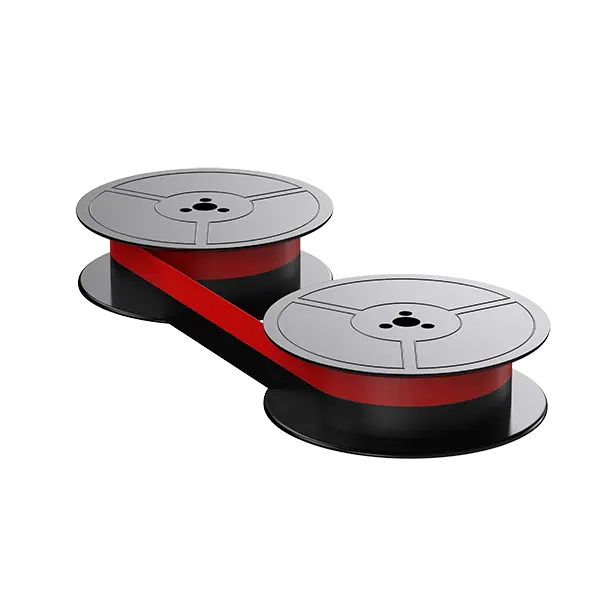
Different printer types have unique needs when it comes to ribbon maintenance. Tailoring your approach to your specific printer can make a significant difference in the longevity and performance of your ribbons. Here are some detailed best practices for two common printer types:
1. Dot Matrix Printers:
Dot matrix printers, known for their reliability and impact printing, require specific attention to their maintenance:
- Regular Print Head Cleaning: Dot matrix printers use a printhead with pins that strike an ink-soaked ribbon against the paper. Over time, ink buildup on the print head can occur, leading to print quality issues. Regularly clean the print head with a designated cleaning solution and a lint-free cloth to prevent ink residue buildup. Refer to your printer’s user manual for precise cleaning instructions.
- Check Ribbon Tension: Maintaining the correct ribbon tension is crucial. Check that the ribbon is properly loaded and aligned within the printer. Incorrect tension can lead to ribbon wrinkles, tearing, or uneven printing. Ensure the ribbon is securely and evenly positioned.
2. Thermal Transfer Printers:
Thermal transfer printers use a different technology, relying on heat to transfer ink from the ribbon to the paper. Here are the best practices for maintaining these printers:
- Keep the Print Head Clean: Ensure the print head of your thermal transfer printer is clean and free from debris. A dirty print head can lead to inconsistent print quality and even ribbon damage. Use a designated cleaning solution and a lint-free cloth to gently clean the print head. Follow your printer’s manual for specific cleaning guidelines.
- Use High-Quality Thermal Transfer Ribbons: To achieve the best results with thermal transfer printers, it’s essential to use high-quality thermal transfer ribbons. Lower-quality ribbons can result in poor print quality and can even damage the print head. Investing in quality ribbons ensures consistent and reliable printing.
By adhering to these best practices tailored to your specific printer type, you can maximize the performance and lifespan of your ribbons. Remember that a little extra care and attention to the unique needs of your printer can go a long way in ensuring smooth and efficient printing operations.
Conclusion
Proper maintenance of your printer ribbons is crucial for maintaining print quality and the longevity of your printing equipment. By following the tips and advice outlined in this article, you can keep your ribbons in excellent condition, reduce downtime, and ensure the continued success of your printing tasks. For high-quality thermal paper and ribbons, don’t forget to explore the Stingbull Ribbon collection. Keep those printers running smoothly!