
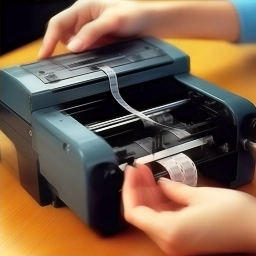
If you have an Epson printer, you may need to replace the ink band from time to time. While the process may seem tricky, you can easily replace the ink belt by following the steps.
Step 1: Prepare the materials you need
You need a new box of ink bands and some cleaning supplies, such as a clean paper towel or a cleaning cloth.
Step 2: Open the lid of the printer
Pull back the lid of the printer to keep it stable. If your printer has a button or handle to unlock the printhead, press or turn it.
Step 3: Clean the print head
Gently wipe the print head using a paper towel or clean cloth to ensure it is clean.
Step 4: Remove the old ink belt
Press the ink belt switch to remove the old ink band. Make sure to remove it in the right direction. If you’re not sure, refer to the printer’s manual.
Step 5: Install the new ink belt
Put the new ink band into the space and make sure it gets stuck. Read the user manual again to make sure that you install it correctly.
Step 6: Close the printer lid
Close the printer lid and plug the power cord. Power up and test and print.
That’s the basic steps to replacing the Epson ink belt. If you are upset or you cannot successfully install the new ink band, refer to the printer manual or ask technical support assistance.